


BMW Operating System 8.5 in the 2026 BMW i4 — A Hollywood, CA driver’s guide
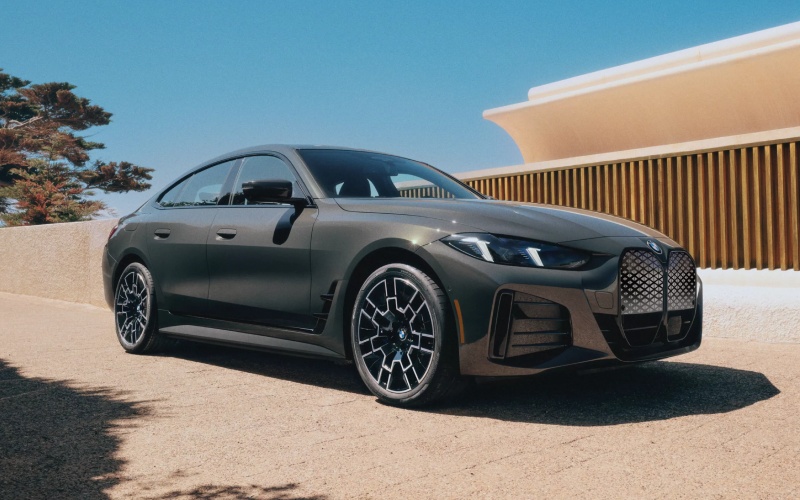
Century West BMW – BMW Operating System 8.5 in the 2026 BMW i4 — A Hollywood, CA driver’s guide
When you slide behind the wheel of the 2026 BMW i4, the first thing you’ll notice is how natural the tech feels. That’s BMW Operating System 8.5 at work. The QuickSelect start screen prioritizes your top functions—and learns which ones you use most—so you don’t have to dig through menus to adjust climate, change your audio source, or queue up navigation. In Hollywood, where blocks are short and traffic can be unpredictable, that kind of immediacy keeps your focus on the road and your decisions quick and confident.
The display itself is anchored by the BMW Curved Display, creating a single sweeping visual that pairs the instrument cluster with the central control display. It’s elegant, but more importantly, it’s glanceable. Animations are fluid, the layout is consistent, and key tiles remain within easy reach. If you’re parallel parking off Franklin or squeezing into a tight surface lot near Cahuenga, there’s no time for guesswork. This interface gets out of your way and lets you drive.
Why the QuickSelect layout matters in real traffic
QuickSelect is the difference between hunting through nested menus and getting on with your day. You’ll see your essentials—navigation, phone, media, climate—right up front. In motion, that saves seconds, and seconds matter when you’re merging from Highland or catching a quick left on Sunset. And because the system adapts to what you use most, your interface actually improves with time. As your routines build—your favorite routes, your go-to contacts—the system places the right commands where your eyes and hands expect them.
Even better, the system pairs seamlessly with the BMW Intelligent Personal Assistant. Say “Hey BMW, I need to cool down,” and it will adjust the climate accordingly. Ask it to navigate to a charger, and it will surface options from the BMW Charging network, now including Tesla Superchargers, directly in your route planning. Combined, the voice interface and QuickSelect menu become a one-two punch—faster than tapping, and more reliable in dense city driving.
Augmented View and Head-Up Display — clarity when you need it
Complex intersections and sudden lane shifts are par for the course in Hollywood. The available Augmented View shows a live camera feed on the control display with superimposed arrows to guide you through a turn or ramp. It’s remarkably effective at decision points where a wrong lane choice could add 10 minutes to your trip. The available BMW Head-Up Display complements it by placing speed, guidance, and driver-assist cues at the edge of your vision. Together, these tools reduce uncertainty in busy corridors—especially helpful when you’re navigating unfamiliar side streets or event traffic around Hollywood Bowl.
Because both features are integrated at the system level, directions handed off from your phone or set in the car translate cleanly to the displays you use most. There’s less cognitive overhead—no need to triangulate between map, street signs, and guesswork—and more time to anticipate what’s ahead.
Charging planning that fits Hollywood life
One of the standout advantages of the 2026 BMW i4 is how simple the charging experience feels. The My BMW App aggregates major public networks—now including Tesla Superchargers—so you can compare power levels and availability before you arrive. If you want to top up near Runyon Canyon or grab a quick charge before dinner on Vine, you’ll see options at a glance. Plug & Charge functionality at participating networks makes authentication seamless—plug in, and charging begins automatically.
At home, the standard Flexible Fast Charger supports both 120V and 240V outlets, so you can start with what you have today and upgrade later. Add the available BMW Wallbox for quicker Level 2 charging, and you’ll start each morning topped up. For many Hollywood-area commutes, that means minimal public charging during the week and the freedom to plan longer trips on weekends without worry.
Parking precision and a calmer commute
The available Parking Assistant Plus surrounds you with real-time visual confidence—a top-down view, multiple camera angles, and automatic maneuvers that take the pressure off tight spots. It’s a helpful ally when parallel parking on a narrow side street or navigating a busy garage with limited clearance. Remote features in the My BMW App let you check surroundings from your phone, adding an extra layer of assurance when you’ve parked in a tight or unfamiliar space.
On the move, the available Driving Assistant Professional offers comprehensive support on longer highway stretches. In practical terms, it helps smooth out the stop-and-go grind—maintaining distance, assisting with lane positioning, and reducing fatigue when traffic thickens. You remain in control, but repetitive tasks feel lighter.
Tips for getting the most from OS 8.5 on day one
- Set QuickSelect tiles: Pin your top three features to the first row so they’re always one tap away.
- Train voice commands: Try a few natural phrases—“I’m hot,” “Call home,” “Find a charger”—and note how the assistant responds.
- Enable Augmented View: Use it during any route with complex turns to get a feel for when it adds clarity.
- Link the My BMW App: Connect your account so you can send destinations, check range, and view charging options from your phone.
- Explore driver assists: In a safe area, learn where assist alerts appear on the instrument cluster and Head-Up Display.
These small steps unlock most of the i4’s daily convenience in minutes. The system feels familiar right away, and the car adjusts to you as you build routines.
Frequently Asked Questions:
Can the i4 route me to Tesla Superchargers?
Yes. The BMW Charging network—including Tesla Superchargers—is integrated with the My BMW App. You can view locations, power levels, and availability, then send the destination to your car.
Is the voice assistant reliable in noisy city driving?
BMW Intelligent Personal Assistant is tuned for natural language and typically handles cabin noise well. You can also trigger many functions from the QuickSelect screen if you prefer touch inputs.
Will Augmented View help in parking lots?
Augmented View is designed for navigation guidance on the control display. For parking, the available Parking Assistant Plus adds the surround view and automated maneuvers that help most in tight spaces.
Can I customize what I see in the Head-Up Display?
Yes. You can adjust brightness, height, and content so key information—like speed and guidance—appears exactly where you want it.
How quickly can I learn the system?
Most drivers get comfortable in a single drive. Set a few QuickSelect tiles, try two or three voice commands, and you’ll find the layout and responses become second nature.
If you’re weighing the 2026 BMW i4 for Hollywood living, the technology makes a compelling case. It’s not just advanced—it’s thoughtfully implemented, which is what matters in the real world. And with a charging ecosystem that now includes Tesla Superchargers plus in-vehicle tools designed for split-second clarity, the i4 feels tuned to the pace of LA life. At Century West BMW, we can walk you through hands-on demos, set up your driver profile, and help map your charging plan so that the first week is as smooth as the first year—serving Sherman Oaks, Studio City, and Hollywood.
As you compare EV options, keep this in mind: great tech should feel calm, not complicated. The 2026 BMW i4 nails that balance—delivering a polished interface, smarter guidance, and a powertrain that’s both rewarding and relaxing. That’s a rare combination, and it’s a big reason the i4 fits right into Hollywood’s mix of short hops, longer freeway runs, and everything in between.
0 comment(s) so far on BMW Operating System 8.5 in the 2026 BMW i4 — A Hollywood, CA driver’s guide